
As and alternative to selecting barrels in the barrel warehouse, barrels can be selected in bulk by listing the desired barrel numbers in Bulk Barrel Management on the Storage homepage.
This can be done in the Bulk Barrel Management Page as well.
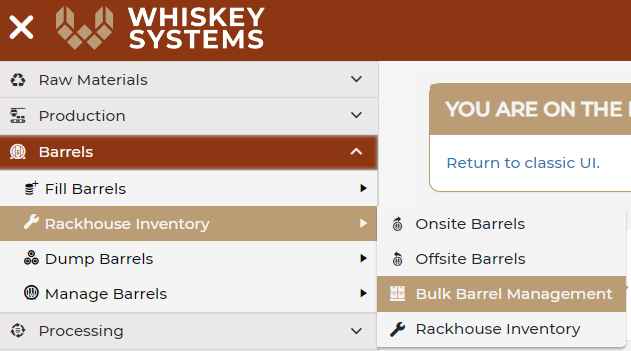
Where? Side Menu > Barrels > Rackhouse Invenotry > Bulk Barrel Management.
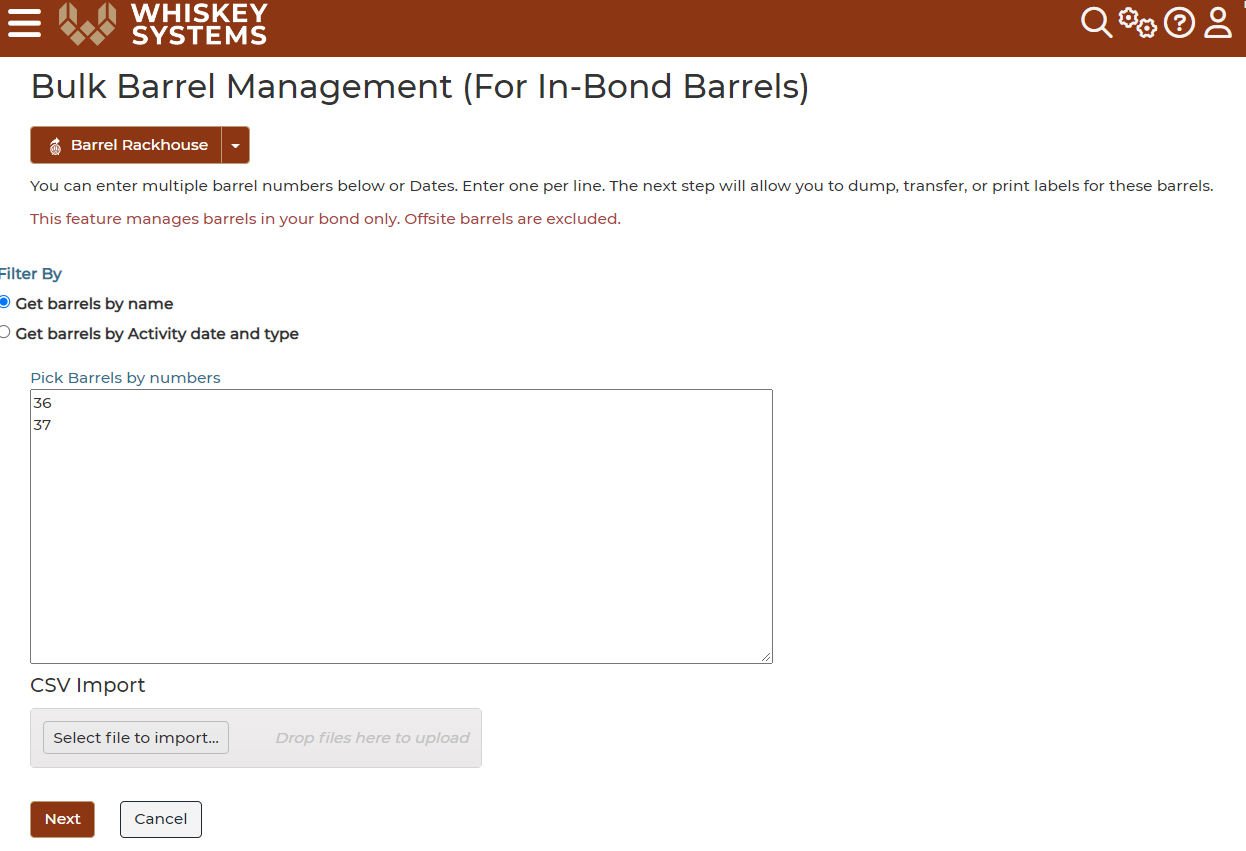
Enter your desired Barrel Name/Number OR Import a CSV file of the barrel names, then select Next.
This function will allow you to select all barrels in your warehouse with the equivalent barrel names.
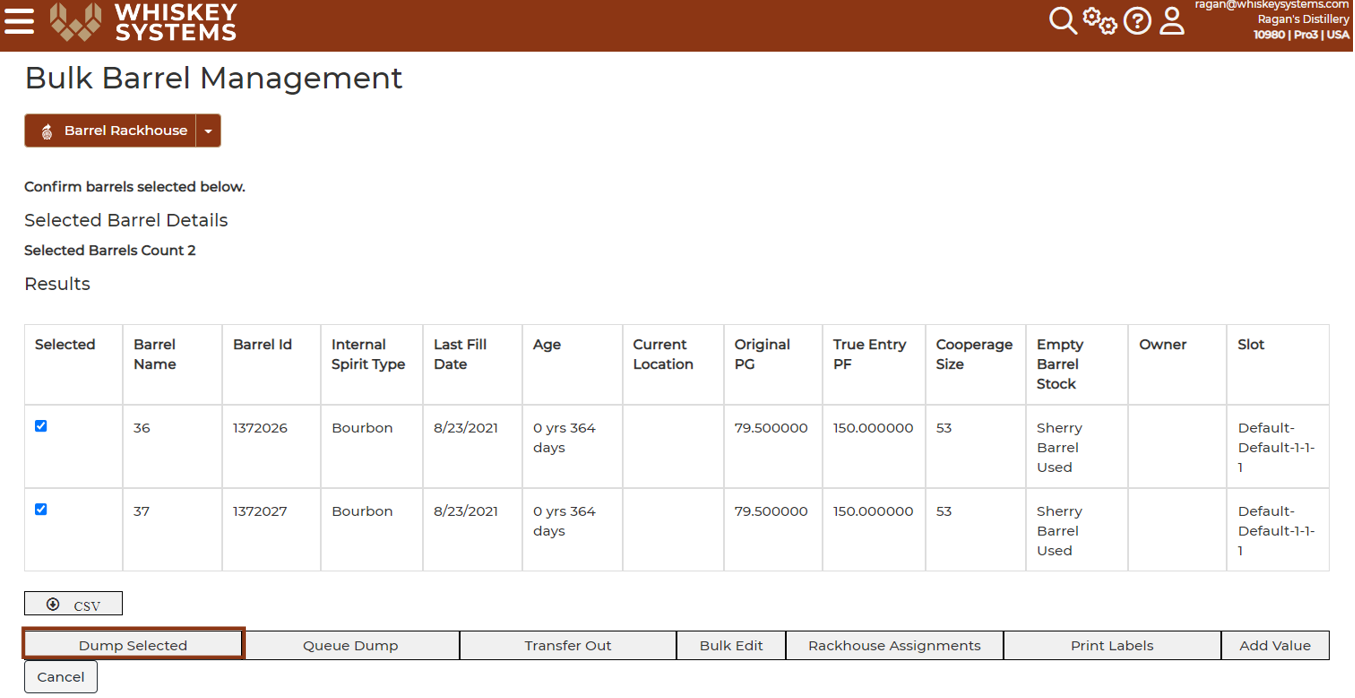
This function will allow you to select all barrels in your warehouse with the equivalent barrel names:
This list can be exported as a CSV.