
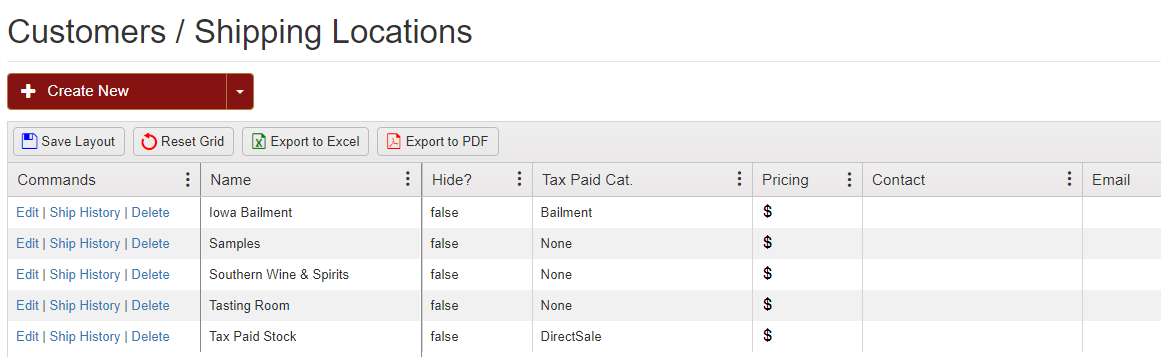
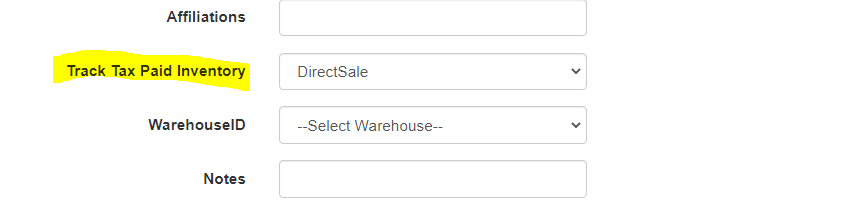
In order to do a depletion, the customer you will be doing a depletion from must be set up as a tax-paid customer either as "Bailment" or "DirectSales" under the Track Tax Paid pull down option in the setup wizard.
For this example we will be depleting from our Tax Paid Customer who is setup as "DirectSales".
To do a depletion, start by going into your orders page and clicking the Customer Order History

Select the customer you wish to view.

After hitting submit the page will appear showing: Current Customer Tax Paid Inventory, Order History, Depletion History, and Customer Adjust Product Logs.
Under the Depletion History select Create Depletion.


Be sure to select the buyer of the depletion, and the time/date the depletion will go into affect.

Type in the number of cases, or bottles, you wish to deplete and be sure to include the price per case. Hit Create.

This brings you to the depletion's screen to review your transactions.
