
Whiskey Systems gives users the option of making Cases from loose Bottles, or users can Break Cases to satisfy Sales Orders needs in the Finished Goods Inventory section. Users can also Split Cases or Bottles between active WS Inventory Lots as needed.
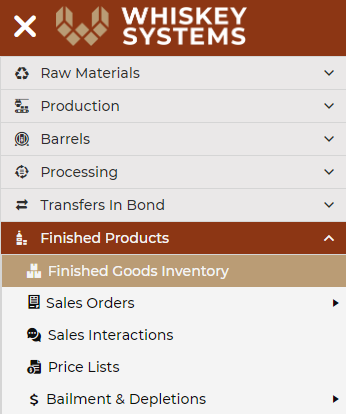
To locate the Make, Break or Split tools in Whiskey Systems, use the Side Menu to navigate to Finished Products > Finished Goods Inventory.
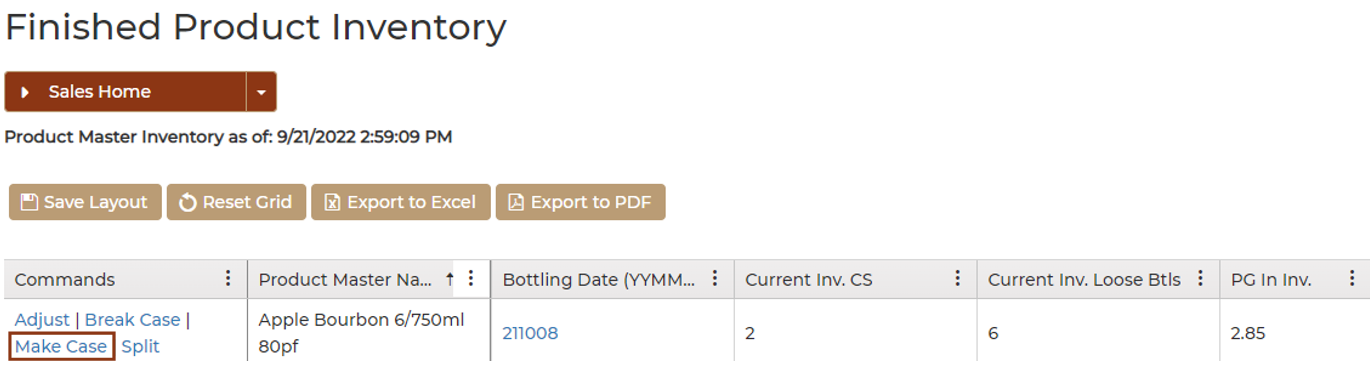
From the Finished Product Inventory form, select the Make Case command to Make a new Case from the desired Finished Product Lot:
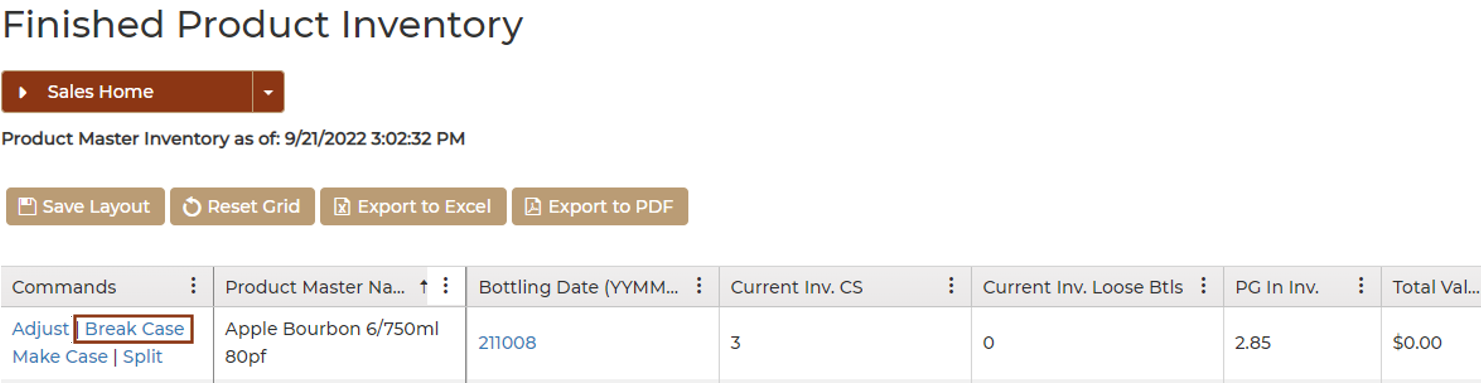
Select the Break Case command to break the desired Finished Product Lot Case(s) into loose Bottles:
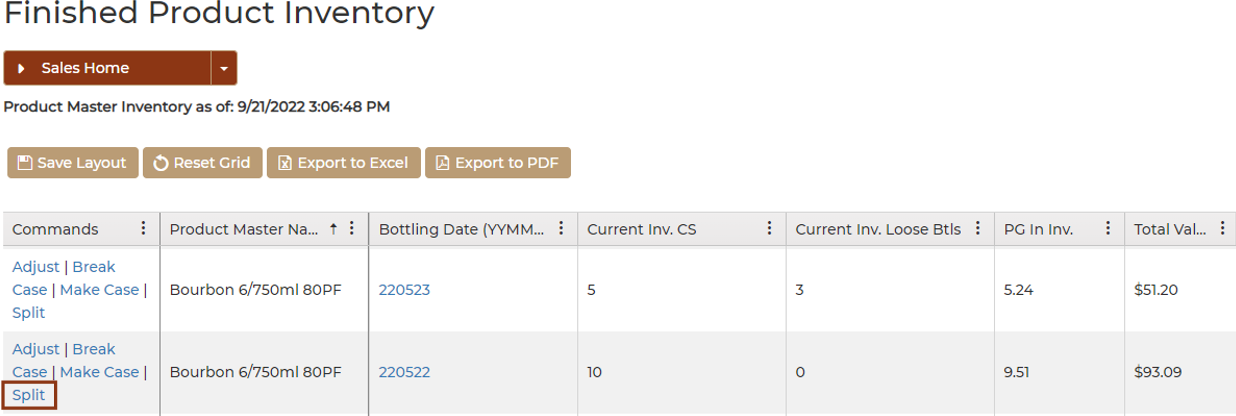
Select the Split command to move Case(s) and/or Bottle(s) from an existing Lot to another:
On the Split Product Inventory form, enter a Time Stamp to be logged with the Split Transaction. Enter a New Bottling Date (YYMMDD) to move the Product Inventory into, and enter the applicable number of Cases to Move or Bottles to Move. Click Submit when form is complete: