
First, Add a new Internal Spirit Type:
Navigate to Settings > Definitions > Internal Spirits Types.
Click the “+ Add Internal Spirits Type" button.

- Internal Spirit Type: Enter a name for the imported rum.
- Example - VI Imported Rum, Puerto Rican Rum.
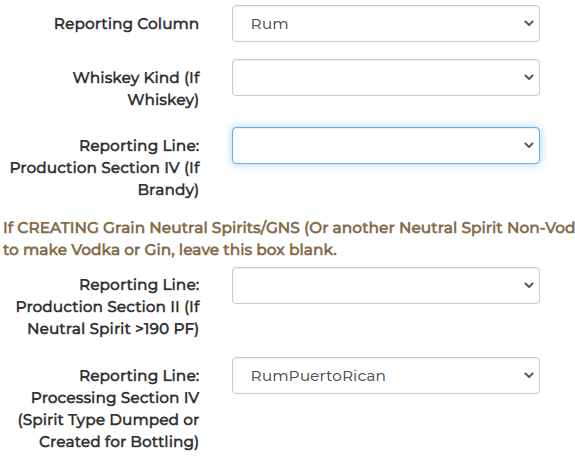
- Reporting Column: Rum
- Reporting Line: Processing Section IV (Spirit Type Dumped or Created for Bottling)
- Example- Rum Virgin Islands, Rum Puerto Rican, or Rum Other.
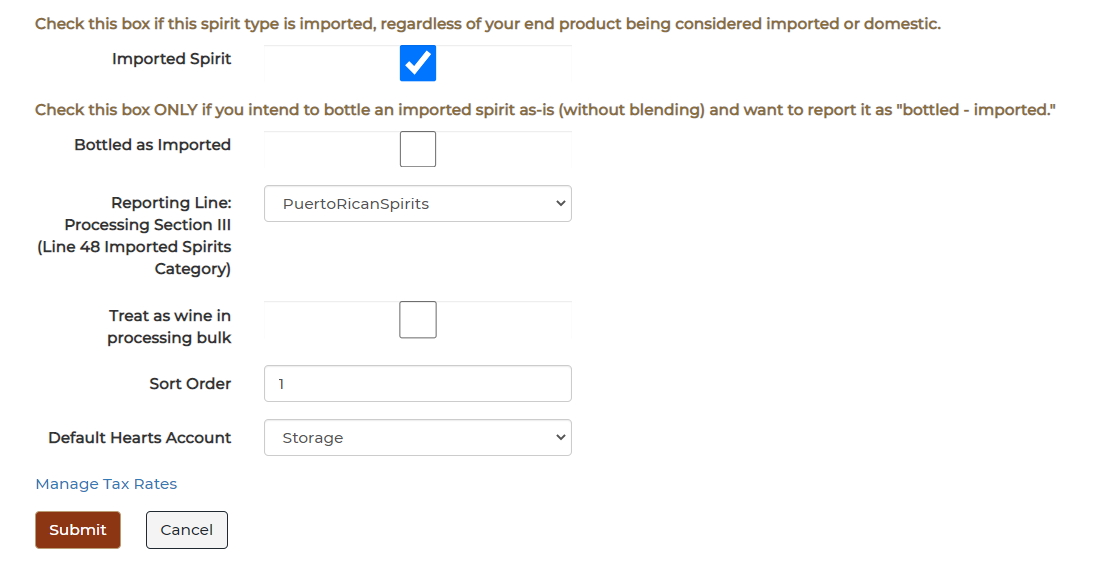
- Imported Spirit: Check this box
- Bottled as Imported: Check this box ONLY if you intend to bottle an imported spirit as-is (without blending) and want to report it as "bottled - imported."
Note: If you are planning to blend this imported spirit with a domestic spirit, skip this step.
- Reporting Line: Processing Section III (Line 48 Imported Spirits Category)
- Example- Virgin Islands Spirits, Puerto Rican Spirits, or Other Imported Spirits