
You can now convert any raw materials into any other raw material using a “Raw Material Conversion”.
Some practical applications would be:
- Malting raw barley into Finished Malted Barley
- Converting purchased whole fruit into fermentable juice and tracking the total cost, labor, efficiency, and yield
- Pre-assembling a packaging kit or a Value Added Packaging before doing the bottling run
- Tracking the bottling of a non-alcohol product like local juices (use Packaging items + Blending Ingredients to make a Finished “Packaging” item)
As an example, let's create a marketing box for a 12 pack of Whiskey.
First, create a new Raw material for the Marketing box as a packaging item.
All items that will go into this marketing box will need to be added as well, for example, a shelf talker, stickers, and any other POS items.
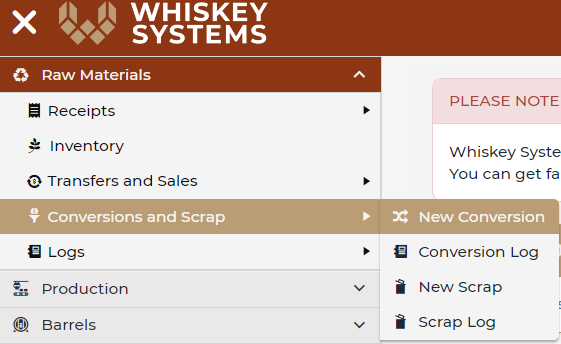
Where? Side Menu > Raw Materials > Logs > Conversions and Scrap >New Conversion.
1. Select the RM that you will be creating and add in a quantity created.
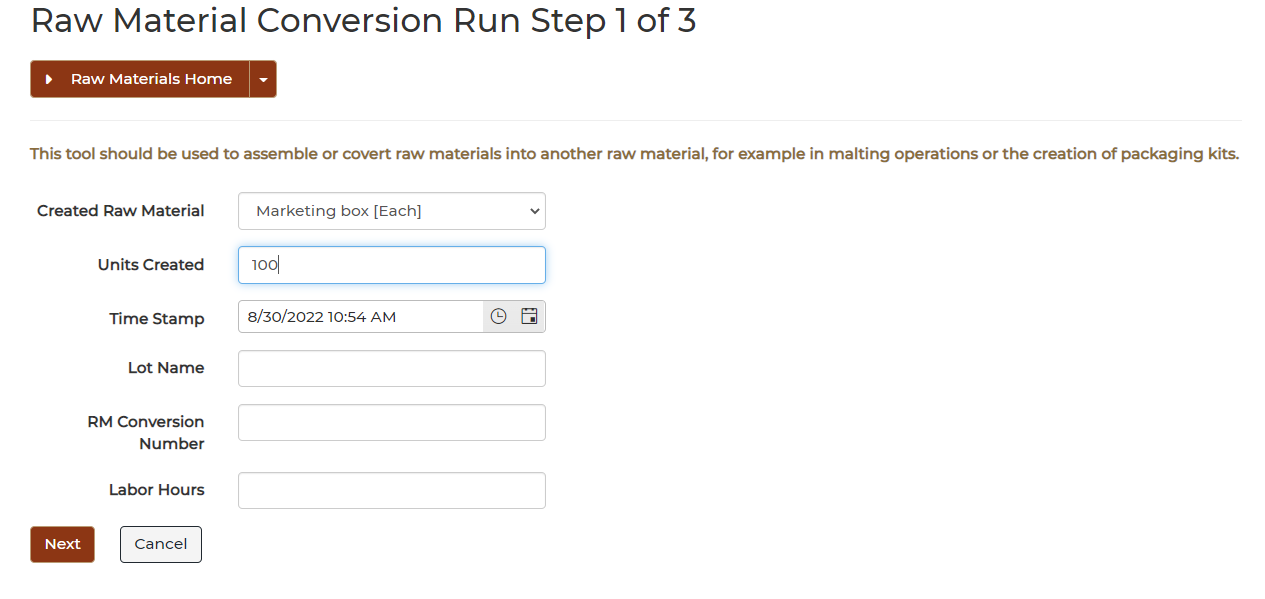
You can add a batch name, internal run name or add labor hours if you like.
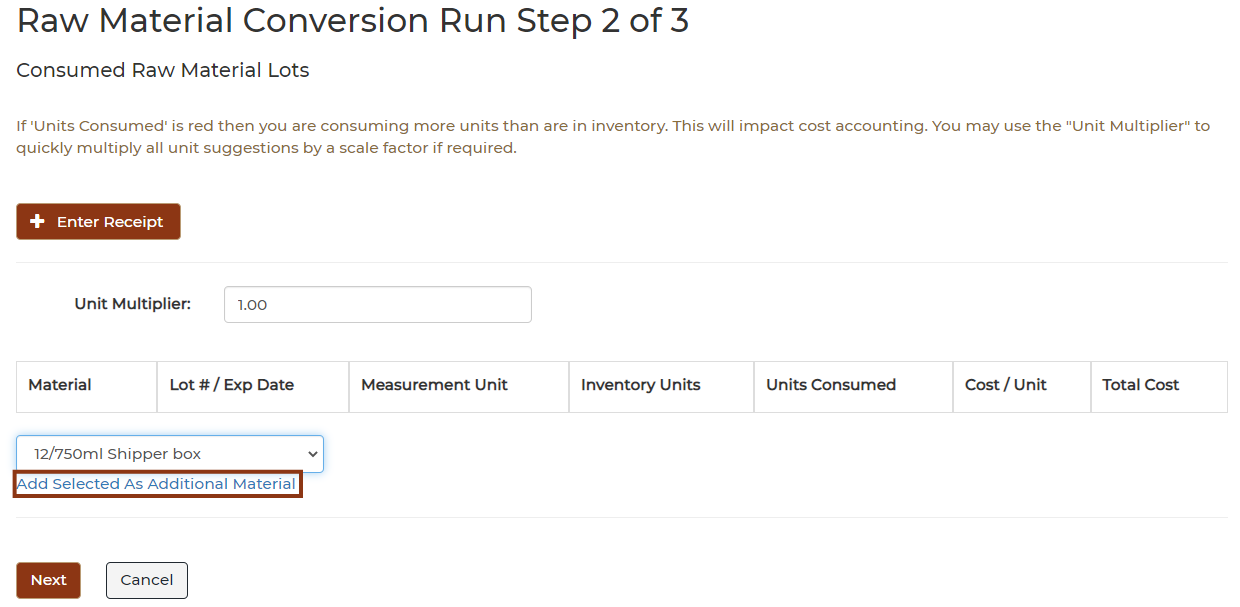
In the drop down box, select the raw materials that go into the Marketing box and add them as additional material.
Notice, the two last items are RED because there is not sufficient inventory to cover the conversion. This means costs will not roll through the system. As with all items like this in the system, you will need to stop the conversion find out why the inventory is short, correct the issue and then re-enter.
When everything is correct, click next.
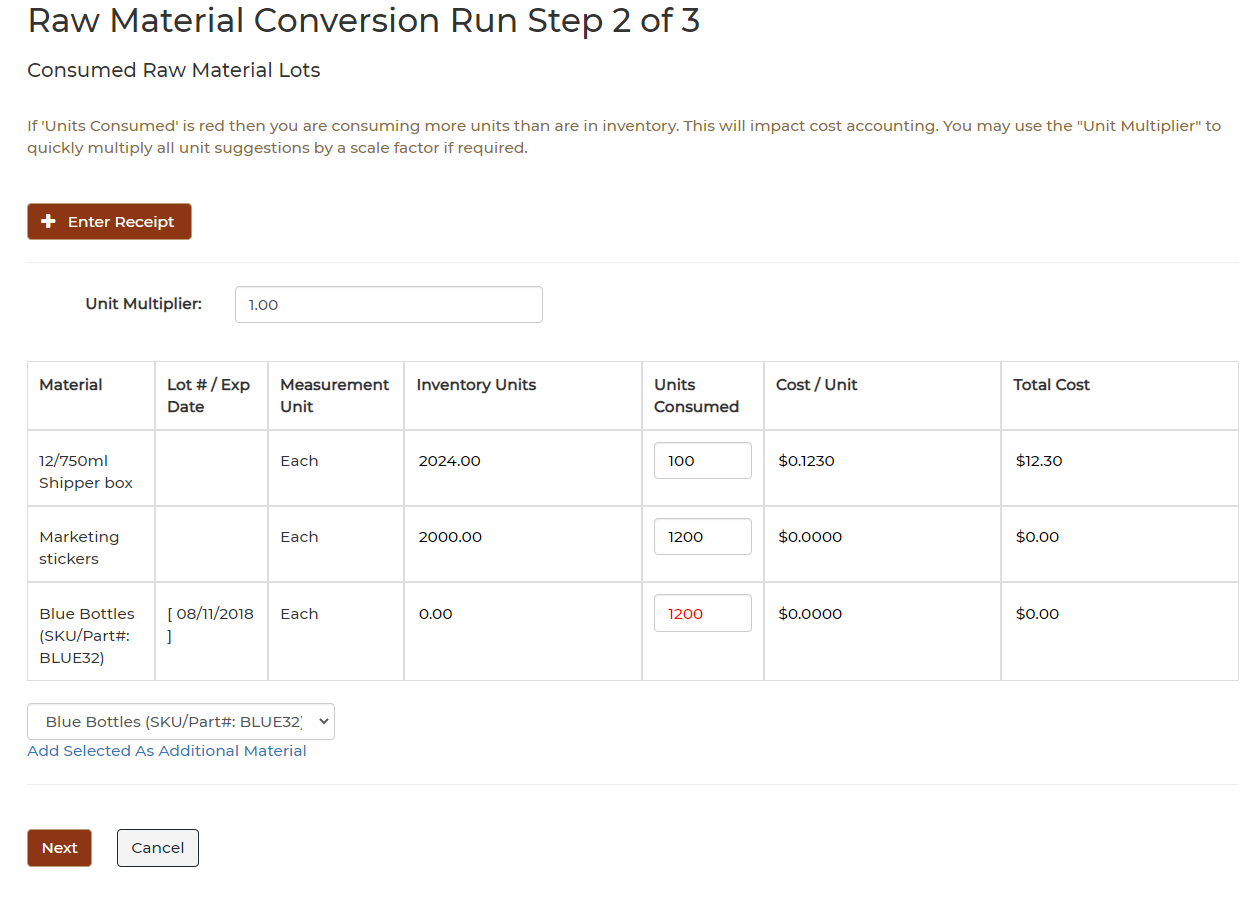
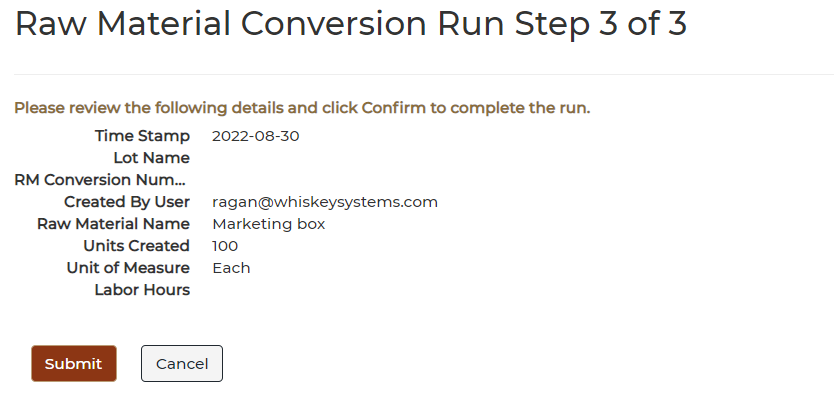
When you confirm this, it will decrement your current inventory quantities that were reflected on step 2 and increase the Marketing boxes by 100.
Then you add this Marketing box to a Product Master. The entire contents of the marketing box along with the costing will be added to the bottling run.