
Navigate to the Customer Setup page and find the desired customer that you'd like to modify pricing for.
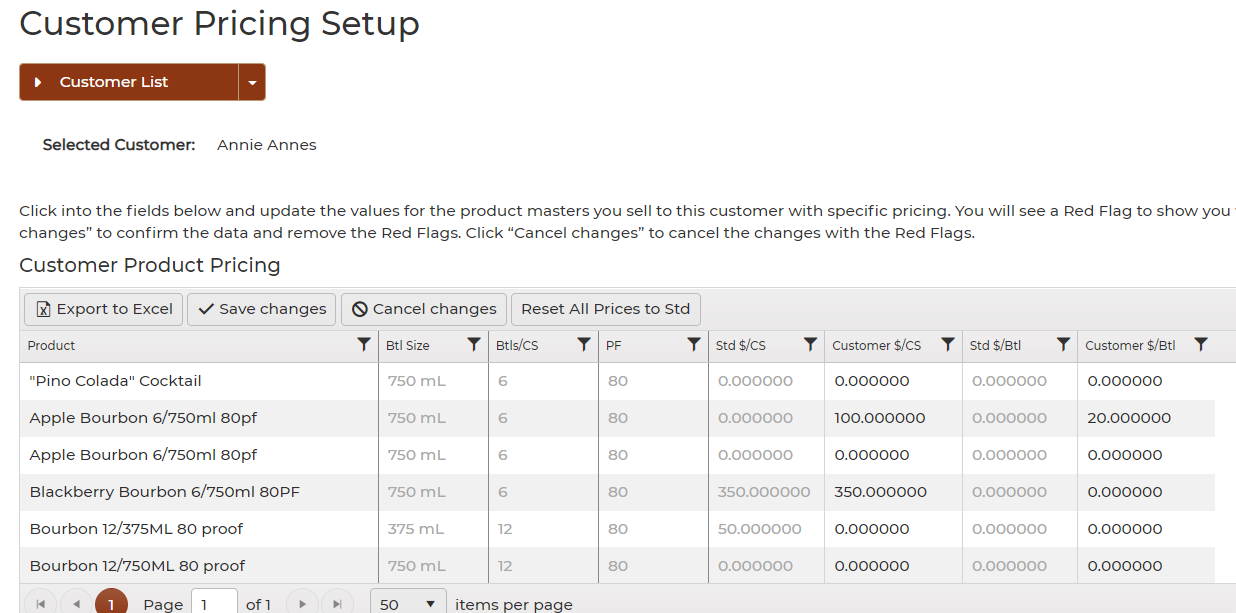
- Select the $ under the Pricing column.

- Add Customer Product Pricing for cases and bottles under the Customer $/CS and Customer $/Btl column.
- Make sure to save your changes.
- Once you've create a new order using that specific customer you'll see the custom price when editing the invoice.