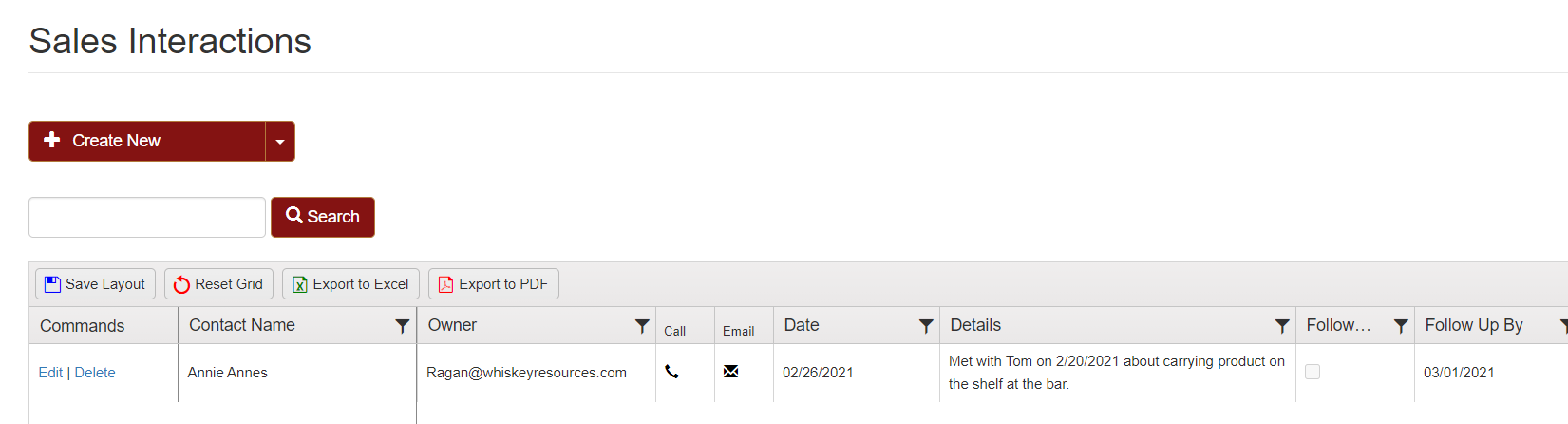
We have recently published updates to our current CRM tools. In the Contacts homepage there are pages to list details about interactions with customers. These are just part of our on going dedication to help keep track of all the little details that go into running a distillery.
In your orders page you will find all the customer pages available.

Manage Customers will bring you to the same page as the Customers Setup in the Setup Wizard.
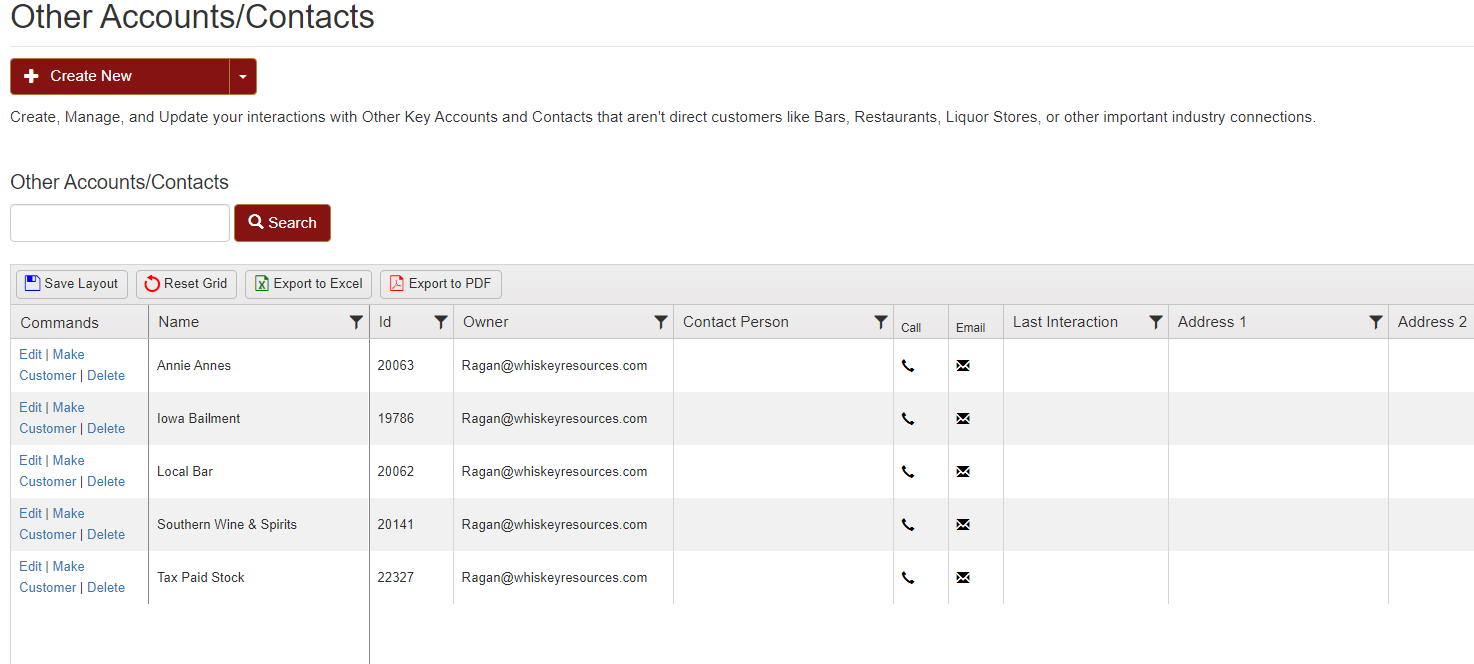
Manage Other Accounts/Contacts is where you can write up sales interactions, or general notes for potential long term customers (or exiting long standing customers you wish to just keep track of).
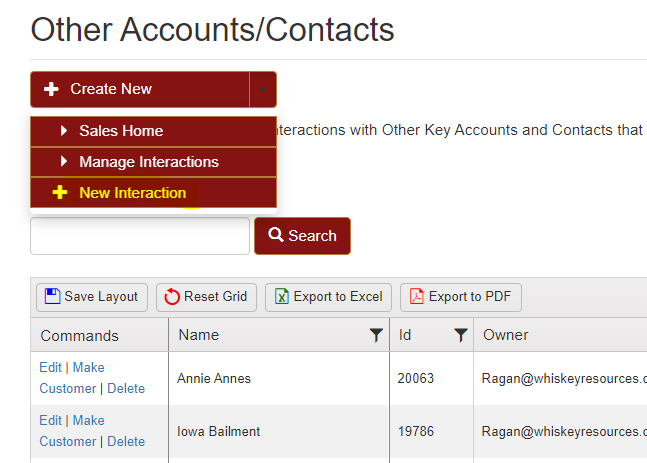
Clicking on the New Interaction option found in the down menu at the top of the page. This allows you to create a new note under the customer's contact.
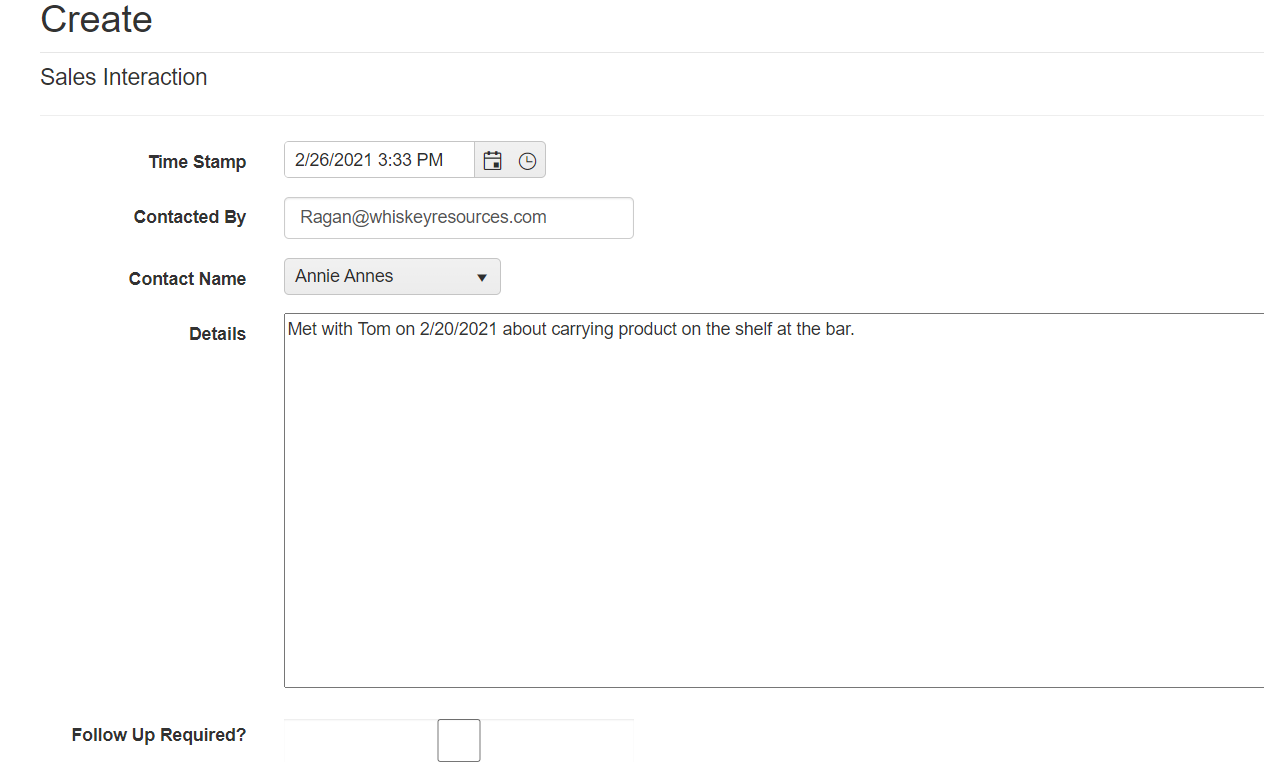
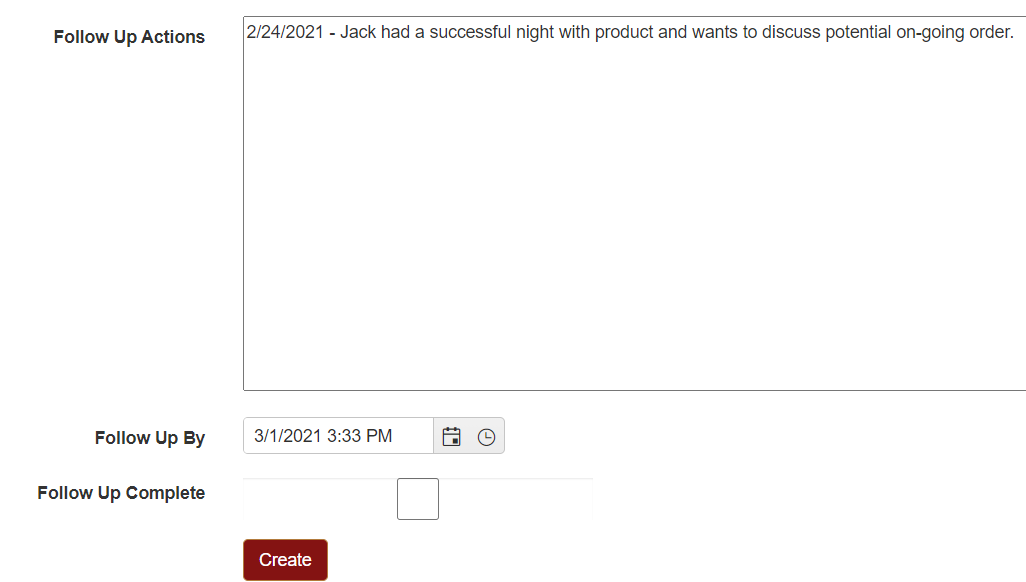
If the follow up is complete you can check the box and hit create.
The sales interactions page will have your new interaction listed at the top along with any past interactions with any other customers/contacts.