
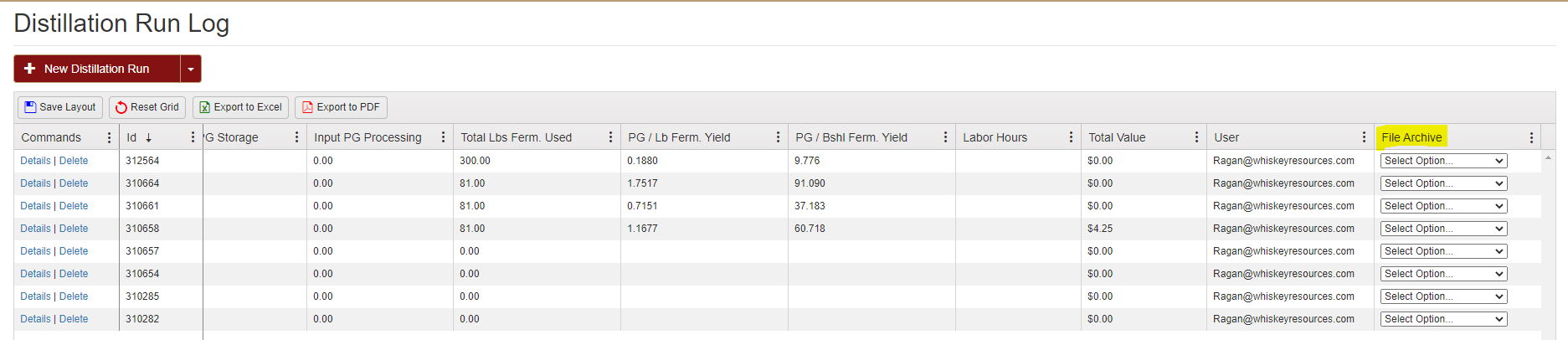
You can now upload a picture and a PDF file for EVERY transaction in a log. Scroll to the right of each log and use the Pull Down to add and view the files.
In this example we have a Distillation Log up. Scrolled to the right there is the drop down menu where you can choose between selecting a PDF or an image.

After selecting your option (in this example we chose to select an image) this page prompting you to select a file will appear.

Select the desired image and save.
This features allows the possibilities for Whiskey Systems to help keep track your source records.