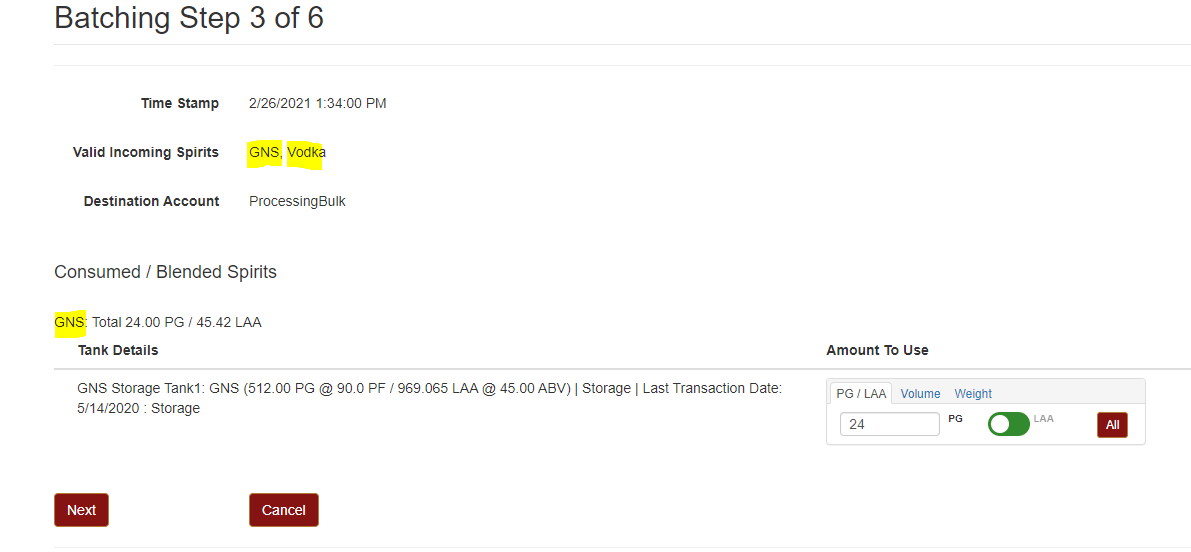
When you are making a spirit that uses another type, a recipe and batching run is needed to convert one type to another.
For vodka from GNS, there are two possibilities:
1. If the GNS is being redistilled to make vodka, it would be entered as a vodka distillation run, consuming from the GNS tank.
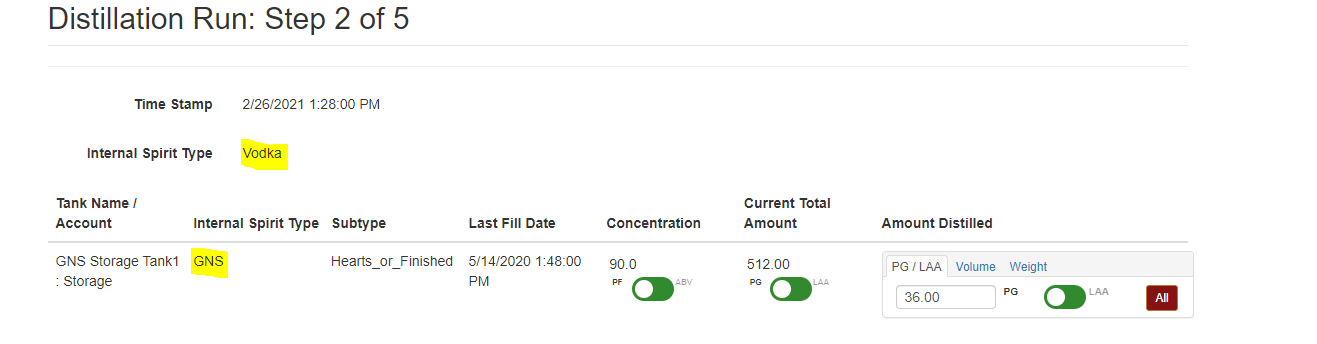
2. If the GNS is being cut and/or blended with anything else to make vodka, it would be handled as a batching run. If this is the case, continue with the steps below:
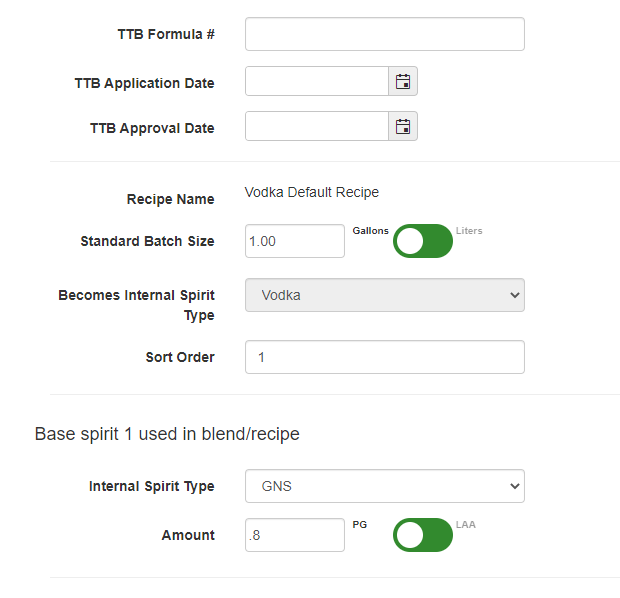
- The vodka internal spirit type would have created a default recipe when you added it. From the setup wizard, go to ‘Recipe setup’ and edit the Vodka Default Recipe. Since you are using GNS, set the ‘uses’ internal spirit type 1 to GNS. For PGs used, just take the proof of the final product and divide by 100. For example, if you make 80 proof vodka, it would require 80/100 = 0.80 PG to make 1 WG. Save the recipe changes.
- To batch the vodka, go to Processing then New Batching run. You want to select Vodka from the drop down as the recipe, and then enter the PGs being pulled from the GNS tank. You will end up with a finished tank of Vodka at the end of the run, and be able to bottle it as Vodka.