
Follow this link to install the extension: Pay.gov + WS Chrome Extension
Click the "Add to Chrome" button
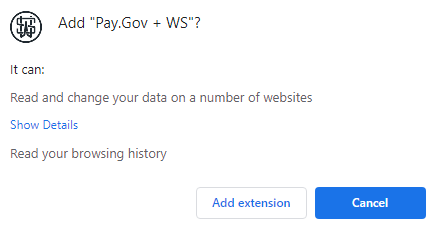
Click "Add Extension"

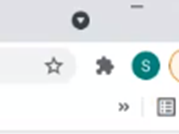
Before the first use we need to enable a function, click the extensions puzzle piece and the 3 dots for details
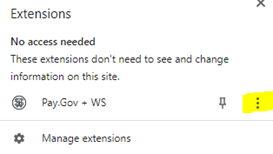
Then manage extensions. Enable Allow access to file URLs:
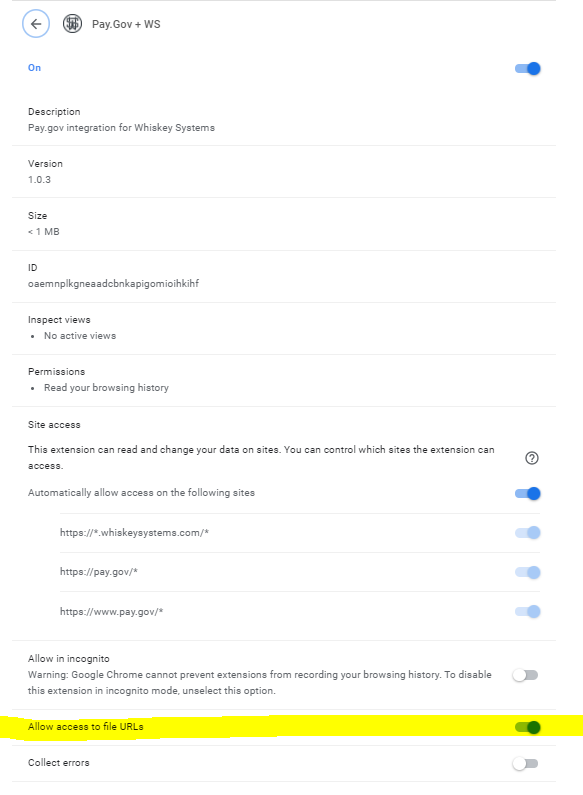
Click update at the top of the extension page. This will save your enable.

Note: For more detailed information on using the extension in pay.gov, see Whiskey Systems Pay.gov Extension Instructions