
Mixed Product Masters are Whiskey Systems' tool for building and tracking Gift Packs, Variety Packs, Combo Packs, etc. using existing Product Master and Packaging Material inventory.
To set up a new Mixed Product Master, navigate to Settings > Things You Make > Mixed Product Masters. Click the “+Add New Mixed Product Master” button in the upper right corner of the page:

If the new Mixed Product Master should be hidden on new Orders, Bottling runs or as Dumped Case Inputs on new Distillation Runs, check the “Hide This Product Master” box at the top of the form:

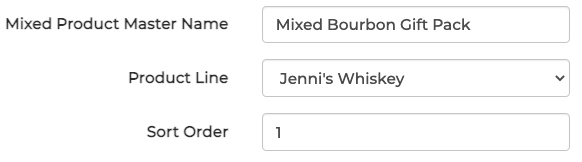
Enter the Mixed Product Master Name desired for this new build, and associate a Product Line if applicable. If the new build should appear at the top of Mixed Product Master list in WS, leave the Sort Order set to 1:
In the Components table, select “+Add New” to begin attaching Product Master inventory to the new Mixed Product Master. Enter the number of Bottles Per Case this new build will use in packaging. For example: if 1 Bottle of a Product Master will be used in a Mixed Product Master packaging, enter “1” in this field.

In the Packaging Materials table, select “+Add New” to attach other items included in the Mixed Product Master packaging such as Merchandise or Glassware. Follow the above Unit Per Case guidance to assign values for each Material added.

Complete any desired Optional Fields and Label Details which should be associated with the Mixed Product Master. Click Submit to save the new build when finished.